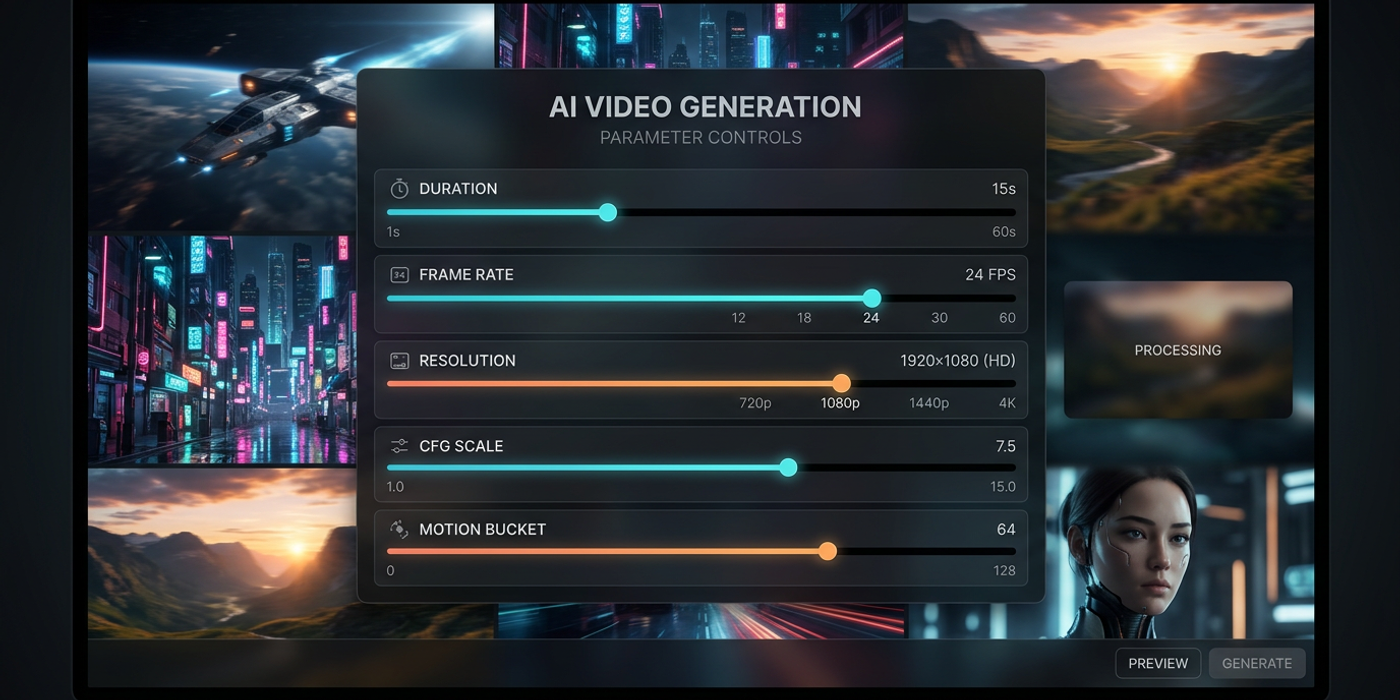
Move beyond default AI video settings. Learn how duration, frame rate, resolution, and CFG scale work together in late 2026 models for better creative output.
Most AI video creators stop at the default settings — but the biggest quality leaps come from knowing which parameters to adjust and when. In late 2026, with models like FLUX 3 Video, Veo 3.1, and Kling 3.0 offering unprecedented control, understanding parameter strategy separates good output from great.
Understanding Parameter Relationships
The key insight that changes how professionals work with AI video is that no parameter operates in isolation. Duration affects motion quality. Resolution impacts generation speed. Frame rate changes how the model interprets motion prompts. Rather than tuning each slider independently, think of them as a system.
Duration and frame rate work together. A 10-second clip at 24fps needs 240 frames of computation. The same clip at 30fps needs 300 frames — 25% more processing that can improve or degrade quality depending on the model. With Veo 3.1, longer durations at lower frame rates produce smoother motion than short clips at high frame rates. With FLUX 3 Video, the opposite is true: it handles high frame rates better because of its diffusion transformer architecture.
Resolution scaling impacts more than sharpness. Generating at 1080p instead of 720p doesn't just give you more pixels — it changes how the model allocates attention across the frame. At higher resolutions, background details become more coherent but motion can appear less fluid as the model spreads its computational budget thinner. Kling 3.0 handles this well with its adaptive compute allocation, while Seedance 2.5 delivers better motion at 720p than at 1080p.
Building a Repeatable Parameter Workflow
Instead of guessing settings for each new project, build a workflow you can reuse:
Start with your output format. A social media square video needs different parameters than a 16:9 YouTube short or a 21:9 cinematic sequence. Set your aspect ratio and target resolution first — everything else follows from this constraint.
Set duration based on content type. Product demos benefit from 8-15 seconds to show the item from multiple angles. Cinematic sequences need 5-8 seconds per shot to establish mood. Social media clips work best at 3-6 seconds for audience retention. Lock your duration early and don't change it as you tune other parameters.
Choose frame rate by motion style. Fast-paced content — product reveals, transitions, action sequences — benefits from 30fps. Cinematic, atmospheric content looks better at 24fps, which gives the model more compute per frame for fine detail. Some models like LTX-2.5 now support variable frame rates within a single generation, letting you slow down key moments.
Tune motion bucket and CFG scale last. These are your creative fine-tuning controls, not base parameters. Motion bucket governs how much movement the model generates: lower values produce more static, photographic scenes while higher values create dynamic motion. CFG scale controls how strictly the model follows your prompt. Start with the defaults for your model, then adjust in small increments.
Model-Specific Parameter Strategies
Each late-2026 model has its own parameter sweet spots worth knowing:
FLUX 3 Video shines at higher frame rates with moderate motion bucket values. It handles detailed scene rendering exceptionally well but benefits from keeping duration under 10 seconds. Its diffusion transformer architecture rewards higher CFG values for prompt adherence.
Veo 3.1 delivers the best results at 24fps with motion bucket values between 50-70. It excels at longer durations and handles complex scene transitions better than any other current model. Lower CFG values produce more natural, film-like motion.
Kling 3.0 is the most forgiving model for parameter experimentation, delivering good results across a wide range of settings. It excels with higher CFG values and shorter durations. Its adaptive resolution handling means you can push to 1080p without the quality penalty seen in other models.
Seedance 2.5 rewards conservative settings: 24fps at 720p with medium duration. Pushing beyond these creates diminishing returns quickly. Its unique strength is coherent motion at lower computational budgets, ideal for rapid iteration.
Advanced: Breaking the Rules Intentionally
Parameter guidelines are starting points. If you want a dreamlike slow-motion effect, drop to 15fps and max out the motion bucket. If you are generating backgrounds for a composite, prioritize resolution over everything else. The best AI video creators in Hong Kong treat parameters as creative tools, not constraints.
Experiment systematically: change one parameter at a time, compare results side by side, and build your own reference sheet. Over a few projects, you will develop intuition for which levers to pull for each type of output.
Frequently Asked Questions
Q: Should I always use the highest resolution available? A: No. Higher resolution costs more compute and can reduce motion quality. Match resolution to your output platform — 720p is often sufficient for social media, while 1080p makes sense for client presentations and broadcast.
Q: What is the most important parameter for video quality? A: Duration and frame rate together. They determine how much compute the model allocates per frame, and getting this balance right has a bigger impact than any other single setting.
Q: Does CFG scale work the same way for video as for images? A: Similar but not identical. For video, CFG scale affects both per-frame composition and temporal consistency. Higher values can cause flicker between frames. Start around 7 and adjust in steps of 0.5.
Q: How do I prevent AI video from looking too smooth or artificial? A: Use 24fps instead of 30fps, set motion bucket to medium values between 40 and 60, and add camera direction prompts. Some models also benefit from lower CFG values that introduce natural variation.
Q: What resolution works best for Hong Kong social media platforms? A: WeChat and Xiaohongshu perform well at 720p vertical, while YouTube and client deliverables benefit from 1080p. Most models let you upscale from a lower resolution without significant quality loss.
Q: Does seed value affect video parameters? A: Yes. A fixed seed paired with the same parameter set produces consistent output useful for iteration. Changing the seed can shift how parameters interact — always test parameter changes across multiple seeds.
Q: How often should I update my parameter reference sheet? A: Every time a major model version drops. Models like FLUX 3 Video, Veo 3.1, and Kling 3.0 have different sweet spots than their predecessors. What worked in June 2026 may need rethinking by October.
Q: Can I use the same parameters across different AI video models? A: You can, but you will get suboptimal results from most. Each model architecture — diffusion transformer, latent diffusion, or hybrid — responds differently to the same settings. Build a parameter profile per model.